Showing posts with label for. Show all posts

Saturday, April 29, 2017

JAF Box Software Setup 1 98 67 Free Download For Windows

JAF Box Software Setup 1 98 67 Free Download For Windows


Mobile phones flashing box jaf latest setup version V1.98.67 is released without lot new/amazing features. This is latest updates for jaf flashing box phone flashing software, Jaf flashing box latest setup your direct download from the download link location at the end of the post.


JAF Box Software Setup 1.98.67 Free Download For Windows
Jaf mobiles flashing box is developed by jaf team, and provide free for her jaf software uers. If you have already install jaf phone flashing box on your pc or laptops, Then your jaf phone flashing software need an update for better performance.


You can easily update or download jaf flashing box from the giiven download link, If you feel any problem in downloading jaf box, Then please share your problem in comments. So click the the below download link to download jaf flashing box and enjoy its latest features for free now.


Download Here


Available link for download

Read more »

Monday, April 24, 2017

Laser Shot Canon LBP1210 Printer Drivers For Windows 7 32 Bit Free Download

Laser Shot Canon LBP1210 Printer Drivers For Windows 7 32 Bit Free Download
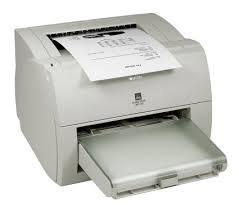

canon-lbp-1210-drivers
Hello, today I am going to give you the driver for Canon LBP 1210 Printer. This driver ensures the best working of this printer on your computer. Now you can download this driver for your Canon LBP 1210 Printer for absolutely free and can enjoy the great performance of the printer. Without installing this driver, you might face different detection problem. Your PC might not be able to detect the hardware in the absence of this driver. Plus, without this driver, you cant get the good performance from your printer.

You can follow the link given at the end of this post to download the driver for your Canon LBP 1210 Printer. This driver is available for all kind of windows operating systems. Canon LBP 1210 Printer driver is compatible with all the major versions of windows such as Windows XP, 7, and Windows 8.1. This is the best driver you can get for your printer. Also, it is absolutely free of cost and you have got to pay nothing to download it. The file is clean and doesnt contain any bugs or viruses that could harm your computer. Following is a procedure with the help of which you can easily download and install this driver on your computer.

Installation Guide to install Canon LBP 1210 Printer driver.

This driver can be installed easily by following this step by step guide given.

1. Click on the link given below which contains downloadable driver files.
2. Download the files from the download link.
3. Once you have downloaded the files, connect your Canon LBP 1210 Printer to your PC.
4. Now from the folder, use the setup.exe to start the installation of this driver.
5. Once the installation is completed, your PC will detect the printer and you can start using it.

And this way you can get the best performance our of your Canon LBP 1210 Printer. Stay tuned to our blogs for more drivers of your devices!
Description: Canon LBP 1210 Printer Drivers Free Download
Supporting OS: Windows 7, 8, Vista, XP 32-Bit
Download (Win 7 And Vista Only 32-Bit)
Download (Win XP 32-Bit)


Available link for download

Read more »

Friday, April 21, 2017

Lw Sc4C Driver For Windows Xp

Lw Sc4C Driver For Windows Xp


Driver details lw-sc4c driver for windows xp.

Details:

File: lw-sc4c_driver_for_windows_xp.exe
Driver version: 2.0.4
File size: 8 337 KB
Download location: original install disk

The file has been tested antivirus program.


Available link for download

Read more »

iPhone Apple Unlock Toolkit 2016 Latest Version v1 0 0 1 Free Download For Windows

iPhone Apple Unlock Toolkit 2016 Latest Version v1 0 0 1 Free Download For Windows


You are downloading iPhone (Apple) Unlock Toolkit 2016 Latest Version v1.0.0.1 avail here to free download for all windows Operating System. iPhone (Apple) Unlock Toolkit 2016 Latest Version v1.0.0.1 is updated released. You have a iphone mobile which is locked, you want to unlock your iphone device. iPhone (Apple) Unlock Toolkit 2016 Latest Version v1.0.0.1 which helps that for unlock iphone devices. You can easily to unlock your device freely. This is  amazing and perfect iphone devices unlock toolkit for iphone devices. You must downloading from here and install it on your PC OS. Connect with iphone to your pc via USB data cable and press unlock, the unlock process will complete in few seconds. After completed unlocking process you are able to use your iphone basic things.

Screen Shoots Of iPhone (Apple) Unlock Toolkit 2016 Latest Version v1.0.0.1 :


Features of iPhone (Apple) Unlock Toolkit 2016 Latest Version v1.0.0.1 :

  1. Two buttons simple interface.
  2. Button U1 is use for start the unlocking procedure, and U2 is use or close the app.
  3. Supported for iTunes.
  4. Available for certain deovice models.
  5. Completely free to download and very simple to use.
  6. Unlock you are iPhone within a couple seconds.
If you want to free download iPhone (Apple) Unlock Toolkit 2016 Latest Version v1.0.0.1 From here.


Download iPhone (Apple) Unlock Toolkit 2016 Latest Version v1.0.0.1>> (248KB)


Available link for download

Read more »

Saturday, April 15, 2017

KitKat 4 4 Updates Revealed for Many Smartphones

KitKat 4 4 Updates Revealed for Many Smartphones


Upcoming Android KitKat  4.4 Updates Revealed.for Many Smartphones.  


The secret have been revealed about Upcoming Kitkat updates for many Samsung Smartphones. Samsung users are going to taste Kitkat soon. "When my devices will have Kitkat "was the most asking question by the Galaxy Users after releasing Kitkat for Some latest devices. Sammobile revealed the secret of upcoming updates and the devices which will have Kitkat.Sammobile were succeeded to  receive internal documents that confirms the date and devices which will receive updates.  Some devices might skip over Android 4.4.2 to get Android 4.4.3. This could be a main reason to delay updates in smartphones . 


Samsung S3 will not be able receive Kitkat update due to some technical difficulties.Samsung S3 Updates are pending . However S3 LTE (American Version) will be able to receive Kitkat Updates. Here is Devs Report about S3 Updates. 


Source : Sammobile.com


Available link for download

Read more »

Thursday, April 13, 2017

Lenovo IdeaPad S415 Drivers for Windows 7 32 64bit

Lenovo IdeaPad S415 Drivers for Windows 7 32 64bit


Lenovo IdeaPad S415 Drivers for Windows 7 (32/64bit)
Audio/Sound
Realtek Audio Driver for Windows 7 (32-bit, 64-bit)
Version : 6.0.1.6873
Released : 29 Jul 2013
File size : 140 MB
File name : raudio123w7.exe
Download

Chipset, Storage, USB 3.0, Display / VGA
AMD Chipset/Storage/USB 3.0/Video Driver for Windows 7 (32-bit, 64-bit)
Version : 2.0.10.273/5.12.0.0015/1.2.1.337/1.1.0.140/12.102.1.9000HD Audio: 7.12.0.7714
Released : 29 Jul 2013
File size : 174 MB
File name : acsuv123w7.exe
Download

Touchpad
Touchpad Driver (Synaptics, Elan) for Windows 7 (32-bit, 64-bit)
Version : 16.6.3.0/11.4.21.1
Released : 29 Jul 2013
File size : 121 MB
File name : tp123w7.exe
Download

Camera / Webcam
Camera Driver (Bison, Chicony, Azurewave) for Windows 7 (32-bit, 64-bit)
Version : 3.13.315.1/3.4.5.24/6.2.9200.10233
Released : 29 Jul 2013
File size : 21.9 MB
File name : cm123w7.exe
Download

Card Reader
Realtek Card Reader Driver for Windows 7 (32-bit, 64-bit)
Version : 6.2.9200.39041
Released : 29 Jul 2013
File size : 6.15 MB
File name : cr123w7.exe
Download

Bluetooth
Bluetooth Driver (CyberTan/Broadcom, Liteon/Atheros) for Windows 7 (32-bit, 64-bit)
Version : 6.5.1.4400/7.4.0.185
Released : 29 Jul 2013
File size : 429 MB
File name : bt123w7.exe
Download

Lan / Ethernet
Realtek Local Area Network (LAN) Driver for Windows 7 (32-bit, 64-bit)
Version : 7.71.327.2013
Released : 29 Jul 2013
File size : 3.82 MB
File name : rlan123w7.exe
Download

Wi-Fi / Wireless Lan
WLAN Driver (CyberTan/Broadcom, Liteon/Atheros) for Windows 7 (32-bit, 64-bit)
Version : 5.100.82.139/6.20.55.51/10.0.0.247
Released : 29 Jul 2013
File size : 80.6 MB
File name : abwlan123w7.exe
Download


Available link for download

Read more »

Wednesday, April 12, 2017

LG USB Drivers for Android Devices

LG USB Drivers for Android Devices


As soon as you own a LG Android phone, you may consider which USB driver should be installed in your computer so that you can make related operations to the phone for personalizing it and making it more convenient for you to use. Therefore, this article primarily introduces three common and latest LG Android USB drivers for your better reference.

1. lg_android_usb_driver.exe

1.1 Download URL:
http://apkinstaller.com/drivers/lg-android-usb-drivers.html

1.2 Driver description:
Size: 10.4 MB
Support system: Windows
Matched models: Most


2. LGUnitedMobileDriver_S50MAN310AP22_ML_WHQL_Ver 3.10.1.exe

2.1 Download links:
http://www.mylgphones.com/lg-android-usb-device-drivers
http://drivers.softpedia.com/progDownload/LG-United-Mobile-Driver-3101-Download-289839.html

2.2 Driver introduction:
Size: 10.2MB/14MB
Supported systems: Windows 7 (32/64-bit), Windows Vista (32/64-bit), Windows XP (32/64-bit) and Windows 8 (32/64-bit)
Applicable devices: All

2.3 Tips: Before installing the driver in the computer with which the LG Android phone is connected, the following 5 requirements should be met.
A: The battery should be fully charged.
B: The important phone data must be saved in case they may be removed.
C: The SD card should be unmounted.
D: The “Mass storage only” mode in Settings/SD card and phone storage settings cannot be chosen.
E: All running applications on the computer must be closed.


3. LG PC Suite 5 (e.g. LG-PC-Suite-5.exe; Free Trial)

3.1 Download URL:
http://lg-pc-suite.soft112.com/download.html

3.2 Product description:
Size: 112MB
Operating system: Windows 7 (32/64-bit) and Windows 2000

After reading the introduction above, you are able to make your own choice at this moment.


Related article:
How to Turn on USB Debugging in LG G2


Available link for download

Read more »

Wednesday, April 5, 2017

Lenovo Y400 Drivers For Windows 10 8 1 8 7 and XP

Lenovo Y400 Drivers For Windows 10 8 1 8 7 and XP


Lenovo Y400 Drivers For Windows 10/8.1/8/7 and XP. This laptop has some great specification and technical detail information. Select the driver to download.


Lenovo Y400 has the following specifications :
  • Processor: Intel Core i7 3630QM
  • Graphics Adapter: NVIDIA GeForce GT 650M
  • Display: 14.0 inch, 16:9, 1366x768 pixels, glossy: yes
Download Lenovo Y400 Drivers For Windows 10/8.1/8/7 and XP :


No
Category
Release Notes
OS
Download
1.
Audio
Realtek Audio Driver (ALC269)
7
Download
Realtek Audio Driver
8
Download
Realtek Audio Driver
8.1
Download
Realtek Audio Driver
10
Download
2.
Chipset
Intel Chipset driver
7
Download
Intel Management Engine Interface driver
7
Download
Intel Chipset driver
8
Download
Intel Management Engine Interface Driver
8
Download
Intel Chipset driver
8.1/10
Available link for download

Read more »

Tuesday, April 4, 2017

Lenovo Z41 70 Drivers For Windows 10 8 1 8 7 and XP

Lenovo Z41 70 Drivers For Windows 10 8 1 8 7 and XP


Lenovo Z41-70 Drivers For Windows 10/8.1/8/7 and XP. This laptop has some great specification and technical detail information. Select the driver to download.


Lenovo Z41-70 has the following specifications :
  • Intel Core i7 
  • 5500U (2.40GHz 1600MHz 4MB)
  • 8 GB ( 1 x 8 GB ) RAM

Download Lenovo Z41-70 Drivers For Windows 10/8.1/8/7 and XP :

No
Category
Release Notes
OS
Download
1.
Audio
Realtek Audio Driver
7
Download
Realtek Audio Driver
8/8.1
Download
Realtek Audio Driver
10
Download
2.
Chipset
Chipset driver
7
Download
Intel Management Engine Interface driver
7
Download
Intel Chipset driver
8/8.1
Download
Intel Management Engine Interface Driver
8/8.1
Download
Intel Chipset driver
10
Download
Intel Management Engine Interface Driver
10
Download
3.
Available link for download

Read more »

Lenovo Thinkpad Sl300 Alps Ultranav Driver For Windows 7 64Bit

Lenovo Thinkpad Sl300 Alps Ultranav Driver For Windows 7 64Bit


Lenovo Thinkpad Sl300 Alps Ultranav Driver For Windows 7 64Bit | Smartphone-drivers.blogspot.com

Free Download Lenovo Thinkpad Sl300 Alps Ultranav Driver For Windows 7 64-Bit


Fixes:
Support for ThinkPad SL300.
Driver Version : 7.102.1623.307

This package installs the UltraNav Driver to enable the following device:
- Thinkpad UltraNav

If this package has been installed, updating (overwrite-installing) this package will fix problems, add new functions, or expand functions. This program is language independent and can be used with any language system.


Direct Download Driver Lenovo Thinkpad Sl300 Alps Ultranav For Windows 7 x64


Supported OS: Thinkpad Sl300 Ultranav Driver for Windows 7 X64. Are you looking for Lenovo Thinkpad Sl300 Alps Ultranav Driver 7.102.1623.307 For Windows 7 X64 driver and want free download.

Download Driver 
http://download.lenovo.com/ibmdl/pub/pc/pccbbs/mobiles/6ati02ww.exe


Available link for download

Read more »

Monday, April 3, 2017

Mailnag Email Notifier 1 2 Released With New IMAP Folder Chooser Updated Popup Menu Layout For GNOME Shell More

Mailnag Email Notifier 1 2 Released With New IMAP Folder Chooser Updated Popup Menu Layout For GNOME Shell More


Mailnag is a desktop-independent email notifier for Linux. The application supports both POP3 and IMAP servers and on email arrival, it performs various actions like visual or sound notifications, allows executing a script and more.

For Unity and GNOME Shell, there are two Mailnag extensions that further integrate the application with the desktop. 

Mailnag email notifier Unity
Mailnag Unity integration with Messaging Menu

Using the Mailnag Unity plugin, the application integrates with the Messaging Menu, while using the GNOME Shell plugin makes Mailnag available on the top panel, and it includes an email counter and popup menu (updated with the latest 1.2 version), which you can see below. 

Mailnag email notifier gnome shell
Mailnag GNOME Shell extension

Theres also a GNOME Online Accounts plugin, which makes Mailnag aware of email accounts specified in GOA (this doesnt work with the forked Unity Online Accounts).

Changes in Mailnag 1.2.0:
  • added support for notification settings in GNOME-Control-Center;
  • improved account dialog featuring a new IMAP folder chooser;
  • libnotify plugin: added new Short Summary notification mode (new default notification mode; recommended for GNOME 3);
  • userscript plugin: accountnames are now passed to the specified userscript;
  • non-SSL accounts are now utilizing STARTTLS if available;
  • Mailnag now logs a warning if an unencrypted connection is detected;
  • acountnames are now exported via the DBUS-API;
  • the config window is resizable now;
  • various other improvements, fixes and updated translations.

Mailnag email notifier
New IMAP folder chooser

Along with Mailnag 1.2.0, the GNOME Shell extension was also updated (to version 3.18.0), which includes the following improvements:
  • add option to group mails by account (requires Mailnag >= 1.2);
  • add option to always show the indicator icon;
  • add option to show dates;
  • add option to show/hide menu buttons;
  • new popup menu layout (inspired by GNOME-Shells calendar notifications);
  • use a fixed width for the popup menu;
  • many bugfixes.

Mailnag email notifier

Furthermore, theres a new desktop integration plugin, for Cinnamon (developed by Hasan Yavuz ÖZDERYA):

Mailnag email notifier cinnamon

Gmail users: Its important to mention that on non-GNOME 3 desktops, like Unity, in which you must add your Gmail account directly in Mailnag, the application might not work out of the box because Google may block it for not using modern security standards.

One way around this would be to have 2-step verification enable and add a password for Mailnag as described HERE.


Another way is to visit THIS page and turn "Access for less secure apps" to "on". Obviously, this isnt the best solution, so use it at your own risk! More information about this option, HERE.

Mailnag does come with an option to store the password in the GNOME Keyring (it should work by default but if it doesnt, you can change the "ceditentialstore" from "auto" to "gnome" in ~/.config/mailnag/mailnag.cfg) so its far more secure than say, Pidgin, which stores the passwords in plain text (by the way, HEREs a plugin for that adds GNOME Keyring support to Pidgin).

And finally, yet another way is use the GNOME Online Accounts (dont confuse this with the Unity Online Accounts!) to add your Gmail account, even if you dont use GNOME 3 / GNOME Shell.

To be able to use GNOME Online accounts in other desktop environments, you follow the instructions from the following WebUpd8 article (for Mailnag, I assume it also works with Ubuntu versions older than 16.04, unlike the Google Drive integration - I didnt test it on Ubuntu versions older than 16.04 though):
  • Use GNOME 3.18 Google Drive Integration Feature In Unity, Xfce And Other Desktop Environments [Ubuntu 16.04]


Install Mailnag in Ubuntu / Linux Mint and derivatives


Ubuntu / Linux Mint (and derivatives) users can install the latest Mailnag by using its PPA. Add the Mailnag PPA and install the application by using the following commands:
sudo add-apt-repository ppa:pulb/mailnag
sudo apt-get update
sudo apt-get install mailnag
Note that Mailnag is also available in the official Ubuntu repositories, but its an older version. Also, the Mailnag Unity plugin is not available in the official repositories.

Next, you can install the Mailnag Unity plugin:
sudo apt-get install mailnag-unity-plugin

Or the Mailnag GNOME Shell extension:
sudo apt-get install gnome-shell-mailnag
After installing the GNOME Shell extension, use GNOME Tweak Tool to enable it (you may need to restat GNOME Shell or log out and log back in to see the extension in Tweak Tool).

To install the Mailnag GNOME Online Accounts plugin, use the following command:
sudo apt-get install mailnag-goa-plugin

For Cinnamon, you can install the Mailnag panel applet by right clicking the panel, then select "Add applets to the panel" and on the "Available Applets (online) tab, search for Mailnag and install it, then switch to the "Installed applets" tab to add it to the panel.

Once you install the packages for your desktop, launch Mailnag Config and set up Mailnag.

Arch Linux users can install Mailnag via AUR: mailnag | mailnag-gnome-shell | mailnag-goa-plugin.

To download the source code, help the project, report bugs and so on, see the following pages:
  • Mailnag
  • GNOME Shell extension
  • Unity plugin
  • Cinnamon applet


Available link for download

Read more »

Saturday, April 1, 2017

Lenovo IdeaPad Z380 Z480 Z580 Drivers for Windows XP 7 8 8 1

Lenovo IdeaPad Z380 Z480 Z580 Drivers for Windows XP 7 8 8 1


All drivers officially released by Lenovo, I re-make the driver list base on installation order and add more details on the description. Lenovo provide support for Windows XP, 7, 8 and 8.1 for this model so it is not recommended to use Windows Vista.
This drivers also support all Ideapad Z Series.

Windows 8 Users Please Read This First!


  • USB 3.0 : If you upgrade Windows 7 to Windows 8 (not a clean installation), Uninstall USB 3.0 Drivers first or the USB port will not function properly. Windows 8  and 8.1 have its own native driver for USB 3.0. Failed to Uninstall before the upgrade process will forbid Windows 8 to install the compatible drivers. 

  • Boot Time : Dont expect Windows 8 boot time is faster than Windows 7, the only way to increase your boot time is to install Intel Rapid Storage Technology. But remember, Intel Rapid Storage Technology originally build for Windows 7. 

  • Synaptic Touchpad : If after installing the touchpad drivers resulting in error (somehow there are uers report about this issue), download and install the latest drivers released by synaptic here.


Chipset
Intel Chipset Drivers
Windows XP and 7 32/64-bit: Download
Windows 8 32/64-bit: Download
Windows 8.1 32/64-bit: Download

MEI
Intel Management Interface Driver
Windows XP: Download
Windows 7 32/64-bit: Download
Windows 8 32/64-bit: Download 
Windows 8.1 32/64-bit: Download 

Storage
Intel Rapid Storage Technology
Windows XP,7 32/64-bit: Download
Windows 8 32/64-bit: Download 
Windows 8.1 32/64-bit: Download

Graphic - Intel
Intel HD4000 Graphics Drivers
Windows XP: Download
Windows 7 32-bit: Download
Windows 7 64-bit: Download 
Windows 8 32-bit: Download
Windows 8 64-bit: Download
Windows 8.1 32-bit: Download 
Windows 8.1 64-bit: Download

Graphic - Nvidia
Nvidia Optimus Graphic Drivers (GT6xxM , GT635M, GT630M)
Windows XP: Download
Windows XP 64-bit : Download
Windows 7 32-bit: Download
Windows 7 64-bit: Download 
Windows 8 32-bit: Download
Windows 8 64-bit: Download
Windows 8.1 32-bit: Download 
Windows 8.1 64-bit: Download
 
Audio
Realtek Audio Drivers
Windows XP: Download
Windows 7 32/64-bit: Download
Windows 8 32/64-bit: Download
Windows 8.1 32/64-bit: Download

Wireless Music
Intel Wireless Driver for Microsoft Windows 7
(Only applicable for windows 7) 32/64-bit
Download  

Bluetooth
CyberTan, LiteOn Bluetooth Driver
Windows XP: Download
Windows 7 32/64-bit: Download
Windows 8 32/64-bit: Automatically Installed, If not use windows 7 drivers.
Windows 8.1 32/64-bit: Download 

Webcam/Camera
Chicony 0.3 Mega Pixel Webcam Driver
Windows XP and Windows 7 32/64-bit: Download
Windows 8 32/64-bit: Download 
Windows 8.1 32/64-bit: Download 

Card Reader
Realtek Card Reader Driver
Windows XP and Windows 7 32/64-bit: Download
Windows 8 32/64-bit: Download 
Windows 8.1 32/64-bit: Download

Wireless Display
Intel Wireless Display Driver
Not applicable for Windows XP.
Windows 7 32/64-bit : Download
Windows 8/8.1 32/64-bit : Download

Touchpad
Synaptics Touchpad Drivers
Windows XP: Download
Windows 7 32/64-bit: Download
Windows 8 32/64-bit: Download 
Windows 8.1 32/64-bit: Download 

LAN -Ethernet
Realtek 8105E 10/100M LAN Drivers
Windows XP and Windows 7 32/64-bit: Download
Windows 8 32/64-bit: Download 
Windows 8.1 32/64-bit: Automatic

WiMax 
Intel WiMax Drivers
Windows XP and Windows 7 32/64-bit: Download
Windows 8 32/64-bit: Download 
Windows 8.1 32/64-bit: Automatic

Wireless/Wifi
(Intel, CyberTan, LiteOn) Wifi Drivers
Windows XP : Download
Windows 7 32/64-bit: Download
Windows 8 32/64-bit: Download 
Windows 8.1 32/64-bit: Download 

USB 3.0
Intel USB 3.0 Drivers
Windows XP : Automatic (basic 2.0 enable), make sure to set xHCI mode into Auto in BIOS.
Windows 7 32/64-bit : Download
Windows 8/8.1 : Automatic (Native in-box USB 3.0 Driver).


OSD
Lenovo CapsLock and NumLock OSD (On Screen Display) Driver
Windows XP : This fuction available. Go to Control Panel - display -setting - advance then click on screen display.
Windows 7 32/64-bit : Download

ReadyComm
Lenovo ReadyComm Drivers
*Solve the RMCT Display Driver is corrupt/Missing/or appear in device manager with Yellow Mark.
Windows XP/Vista/7/8 : Download


Hotfix
Knowledge Base KB2482122
Known Issue With Windows 7 32/64-bit - "0x0000009F" Stop error when you restart a Windows 7-based computer that has certain Wi-Fi drivers installed.
Windows 7 32-bit : Download
Windows 7 64-bit : Download

Additional Download:
Download this file if only you know what you are doing and you need this, if not ignore this because each files is larger than 2GB and 4GB.

Open Source Code for Linpus Meego 1.1/1.2 and Linpus Lite 1.4/1.6 : Download Page


Available link for download

Read more »