Thursday, April 27, 2017
LAVA IRIS X8 Hard Reset Pattern Lock reset done 100 Tested
LAVA IRIS X8 Hard Reset Pattern Lock reset done 100 Tested
MORE PROFIT FOR U IF U HAVE INFERNO IN UR LAB
READ EXTEND INFO

READ PATTERN LOCK SEE

Available link for download

Tuesday, April 11, 2017
iPhone 6s Clone MT6571 NAND Apple 6s Apple 4 2 2 ALPS JB7 MP V1 14 100 tested by me
iPhone 6s Clone MT6571 NAND Apple 6s Apple 4 2 2 ALPS JB7 MP V1 14 100 tested by me
iPhone 6s Clone
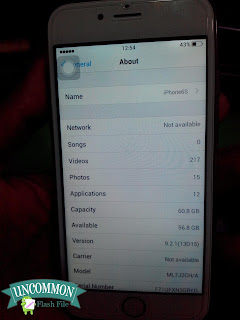
Reading Flash Content now ...
[Read Ok] : preloader_zr71_e_lca.bin
[Read Ok] : lk.bin
[Read Ok] : boot.img
[Read Ok] : recovery.img
[Read Ok] : secro.img
[Read Ok] : logo.bin
[Read Ok] : system.img
[Read Ok] : cache.img
[Read Ok] : usrdata.img
[ScatCFG] : MT6571 / V1.1.1 / zr71_e_lca / NAND
FW Size : 320 MiB
Brand : Apple
ProdName : Apple iPhone
ProdModel : 6s
Device : Apple
AndroidVer: 4.2.2
MTKxCPU : MT6589
MTKxPRJ : ALPS.JB7.MP.V1.14
Android Info saved

Yahoo id : uzzal_computer@yahoo.com
Skype : uzzal.computer
Facebook id : uzzal.computer
How to Flash
Step 1: Download and extract the firmware on your computer.
Step 2: After extracting you will find the SP Flash Tool, Driver and instruction manual.
Step 3: Install the USB Drivers (skip if drivers are already installed).
Step 4: Open the SP Flash Tool and load the Scatter File from the firmware folder.Step
5: Connect your Smartphone to the computer using the USB Driver.Step 6: Click on Upgrade / Download Button in the SP Flash Tool to Begin the Flashing.Step 7: Green Ring will appear at the end of successful Flash.
Available link for download
Friday, March 31, 2017
Karbonn A52 Flash or Upgrade done with Flash tool tested
Karbonn A52 Flash or Upgrade done with Flash tool tested
About Stock ROM Firmware:
This flash file tested by me without any error working well, you can use this flash file when your device hangs on logo problem, restarting problem, security lock problem, password lock problem, pattern lock problem etc software related problem and you can use this tutorial without any box and this is free for all who know about software in mobile, impotent for flashing first must check your micro USB cable if not good then you cant flash it so check micro USB cable second check your device battery that is impotent for flashing if your device battery low so stop your device between flash so this is impotent for flash, before you flash save your data like contact, photos, videos etc because this is factory flash file so you cant save after full flash so must remember all are impotent notes.
Note : If you are doing by your own.do it at your own risk as we dont take any responsibility if your device is damaged
Required for Karbonn A52:
- Karbonn A52 handset with good battery charged up to 80%, and do not try with low battery
- Karbonn A52 Stock ROM Firmware | Download here
- Karbonn A52 Flash tool | Download here
- Karbonn A52 USB (Flashing) Driver | Download here
- Good Quality Micro USB Cable
- Computer or Laptop
Method for Karbonn A52:
- Download above required link, if link dead or broke just leave your comment on below comment box
- UnZip all files from the WinZip, here must installed WinZip or WinRAR software in your computer or laptop
- Open SP Flash tool and choose flash_tool.exe file and open it
- Click on Scatter-loading button and choose MT6572_Android_scatter.txt file and click OK button
- Turn off device if turn on, Click on Download button and Just Insert USB Cable into device
- Wait until Driver installing, if already driver installed in your computer or laptop then download starting automatically
- If device is dead not detect with SP flash tool so Try with Volume Up button and Insert USB Cable
- Wait until Finished process, do not try unplug while device in flashing mode
- I hope you are done, Congratulation

Available link for download
Thursday, March 16, 2017
Kumpulan Cusrom Lenovo A316i Fast Smoot Tested By Localtechno and Work 100
Kumpulan Cusrom Lenovo A316i Fast Smoot Tested By Localtechno and Work 100
Salam Localtechno kali ini localtechno akan berbagi dengan sobat semua tentang "Costume ROM collection for lenovo A316I tested by Localtechno" nah gunanya cusrom collection ini untuk memudahkan sobat semua dalam memilih dan mencoba ROM android modifikasi atau ROM ori yang diport dan dijadikan ROM atau OS untuk Lenovo A316i.
Langsung aja yuk kita pilih ROM nya dibawah ini :
1. ROM Lollifox Android 5.0 for Lenovo A316i Download ROM nya di SINI


Available link for download
Monday, March 13, 2017
Lenovo G400s Driver Windows 7 Tested on Windows 7 32 64 bit
Lenovo G400s Driver Windows 7 Tested on Windows 7 32 64 bit
The result after instal Windows 7. We need some driver to instal them. I download the driver from lenovo source, finally all drivers successfully installed.


Note:
There are twoo type of VGA on Lenovo G400s.
- VGA Graphic with Intel HD 4000 Graphic series
- VGA Graphic with NVIDIA® GeForce® GT720
Note:
I suggest to instal driver as needed laptop only. Installing all software or driver on laptop, it can make laptop work slowly.
Available link for download
Wednesday, March 8, 2017
Lenovo G400 Driver Windows 7 8 Win 8 1 AMD Tested
Lenovo G400 Driver Windows 7 8 Win 8 1 AMD Tested
Model: Lenovo G400 - 5010
Processor: Intel® Pentium® 2020M Processor
Video Card: AMD Radeon™ HD8570 2GB / Screen Size: 14" WXGA LED / Memory 2GB DDR3 / Hard Drive: 500GB / Optical Drive: VD/RW / Ports: 2x USB 3.0, 1x USB 2.0, VGA, HDMI, LAN, Audio??
Before Instal Lenovo G400, The laptop currently included Windows 8 installed and now i will instal use Windows 8.1 32 bit. Whatever, finally Windows 8.1 is installed successful. But, some driver need to instal, Like VGA and Wireless.

Driver Support
- Driver Windows 7 32 / 64 bit
- Driver Windows 8 32 / 64 bit
- Driver Windows 8.1 32 / 64 bit
Not every driver must be installed. Some driver is installed automatically. This the important driver must be instal in Lenovo G400 basic instal using Windows 7 / 8 and Windows 8.1
Chipset. 1,5MB. Download
VGA Graphic. 174MB. download
LAN Atheros. Download
Wireless Intel Driver . Download
Wireless Driver ( Atheros , Broadcom, Realtec ) 110 MB. Download
Intel BLuetooth Driver. 168MB. Download
Camera. 25MB. download
Chipset. 1,5MB. Download
VGA Graphic. 84MB. download
Wireless Driver. (Atheros, broadcom, Realtek) 82MB. download
BLuetooth. download
Touchpad
Chipset. 1,5MB. Download
VGA Graphic. 174MB. download
Wireless Driver (Atheros, broadcom, Realtek) 82MB. download
BLuetooth
Touchpad
Chipset. 1,5MB. Download
VGA Graphic. 235MB. download
Wireless. 54MB. Download
Intel BLuetooth. 168MB. Download
Bluetoth Driver (Atheros, Cybertan, Broadcom ) 379MB. Download
Chipset. 1,5MB. Download
VGA Graphic. 235MB. download
Wireless. 54MB. Download
Intel BLuetooth. 168MB. Download
Bluetoth Driver (Atheros, Cybertan, Broadcom ) 379MB. Download
Available link for download
Sunday, February 26, 2017
KARBONN K9 AUTO ON DONE 100 TESTED SOLUTION KARBONN K9 AUTO ON SOLUTION
KARBONN K9 AUTO ON DONE 100 TESTED SOLUTION KARBONN K9 AUTO ON SOLUTION
KARBONN K9 AUTO ON SOLUTION

Available link for download
Sunday, February 19, 2017
iPhone 6 Clone MT6571 NAND alps MT6571 benrui71 e lca 4 2 2 ALPS JB7 MP V1 14 firmware 100 tested
iPhone 6 Clone MT6571 NAND alps MT6571 benrui71 e lca 4 2 2 ALPS JB7 MP V1 14 firmware 100 tested
A1586
MT6571_NAND_alps__MT6571__benrui71_e_lca__4.2.2__ALPS.JB7.MP.V1.14


Reading Flash Content now ...
[Read Ok] : preloader_benrui71_e_lca.bin
[Read Ok] : lk.bin
[Read Ok] : boot.img
[Read Ok] : recovery.img
[Read Ok] : secro.img
[Read Ok] : logo.bin
[Read Ok] : system.img
[Read Ok] : cache.img
[Read Ok] : usrdata.img
[ScatCFG] : MT6571 / V1.1.1 / benrui71_e_lca / NAND
FW Size : 300 MiB
Brand : alps
ProdName : benrui71_e_lca
ProdModel : MT6571
Device : benrui71_e_lca
AndroidVer: 4.2.2
MTKxCPU : MT6571
MTKxPRJ : ALPS.JB7.MP.V1.14
Android Info saved
Scatter saved to : C:UsersShuhanDesktopFrimwerMT6571_NAND_alps__MT6571__benrui71_e_lca__4.2.2__ALPS.JB7.MP.V1.14
Done!
Ph: +8801712804630
Yahoo id : uzzal_computer@yahoo.com
Skype : uzzal.computer
Facebook id : uzzal.computer
How to Flash
Step 1: Download and extract the firmware on your computer.
Step 2: After extracting you will find the SP Flash Tool, Driver and instruction manual.
Step 3: Install the USB Drivers (skip if drivers are already installed).
Step 4: Open the SP Flash Tool and load the Scatter File from the firmware folder.Step
5: Connect your Smartphone to the computer using the USB Driver.Step 6: Click on Upgrade / Download Button in the SP Flash Tool to Begin the Flashing.Step 7: Green Ring will appear at the end of successful Flash.
Available link for download
Tuesday, January 31, 2017
M706 MB V2 1 Zentality C727 MT6572 100 tested
M706 MB V2 1 Zentality C727 MT6572 100 tested
MT6572_alps_C-727_C-727.JB3.MP.V1.12_20160330_124548

Available link for download
Sunday, November 20, 2016
kzen Velocity Official Firmware 100 tested
kzen Velocity Official Firmware 100 tested
KZEN Velocity Firmware

Reading Flash Content now ...
Brand : Velocity
ProdName : Velocity
ProdModel : Velocity
Device : Velocity
AndroidVer: 4.4.2
MTKxCPU : MT6572
MTKxPRJ : ALPS.KK1.MP7.V1
[Read Ok] : preloader_hongyu72_cwet_71_kk.bin
[Read Ok] : MBR
[Read Ok] : EBR1
[Read Ok] : lk.bin
[Read Ok] : boot.img
[Read Ok] : recovery.img
[Read Ok] : secro.img
[Read Ok] : logo.bin
[Read Ok] : system.img
[Read Ok] : cache.img
[Read Ok] : userdata.img
[ScatCFG] : MT6572 / V1.1.1 / hongyu72_cwet_71_kk / EMMC
Android Info saved
MAUI Meta DB saved
HWConfig Info saved
FW Size : 755 MiB
Scatter saved to : C:UsersShuhanDesktopFrimwerMT6572__Velocity__Velocity__Velocity__4.4.2__ALPS.KK1.MP7.V1
All done!
Done!
Available link for download
Saturday, October 15, 2016
M706 MB V4 2 Galaxy Tab 7 Firmware 100 Tested
M706 MB V4 2 Galaxy Tab 7 Firmware 100 Tested
M706-MB-V4.2
Galaxy tab 7==m706-mb-v4.0 Flash file 100% ok
MT6572__alps__M706__m72_emmc_s6_pcb22_ddr1__4.2.2__ALPS.JB3.MP.V1.12

for password--uzzal_computer@yahoo.com
01712-804630
Available link for download
Monday, October 10, 2016
KECHAODA C8 Official Firmware 100 tested by me
KECHAODA C8 Official Firmware 100 tested by me
MT6572_NAND_kechaoda__MT6572__leatek72_et_lca__4.2.2__ALPS.JB3.MP.V1


Ph: +8801712804630
Yahoo id : uzzal_computer@yahoo.com
Skype : uzzal.computer
Facebook id : uzzal.computer
How to Flash
Step 1: Download and extract the firmware on your computer.
Step 2: After extracting you will find the SP Flash Tool, Driver and instruction manual.
Step 3: Install the USB Drivers (skip if drivers are already installed).
Step 4: Open the SP Flash Tool and load the Scatter File from the firmware folder.Step
5: Connect your Smartphone to the computer using the USB Driver.Step 6: Click on Upgrade / Download Button in the SP Flash Tool to Begin the Flashing.Step 7: Green Ring will appear at the end of successful Flash.
Available link for download